Skip to content
Maru

What is Maru?

Tasks, team chat, your daily plan, meetings and boards in one app.

Maru Hub is made for small teams and people working on their own. Who’s delivering what, and when? Has the client approved? What still fits in today? Stop asking. Just look.

Tie up loose ends. Close your day.

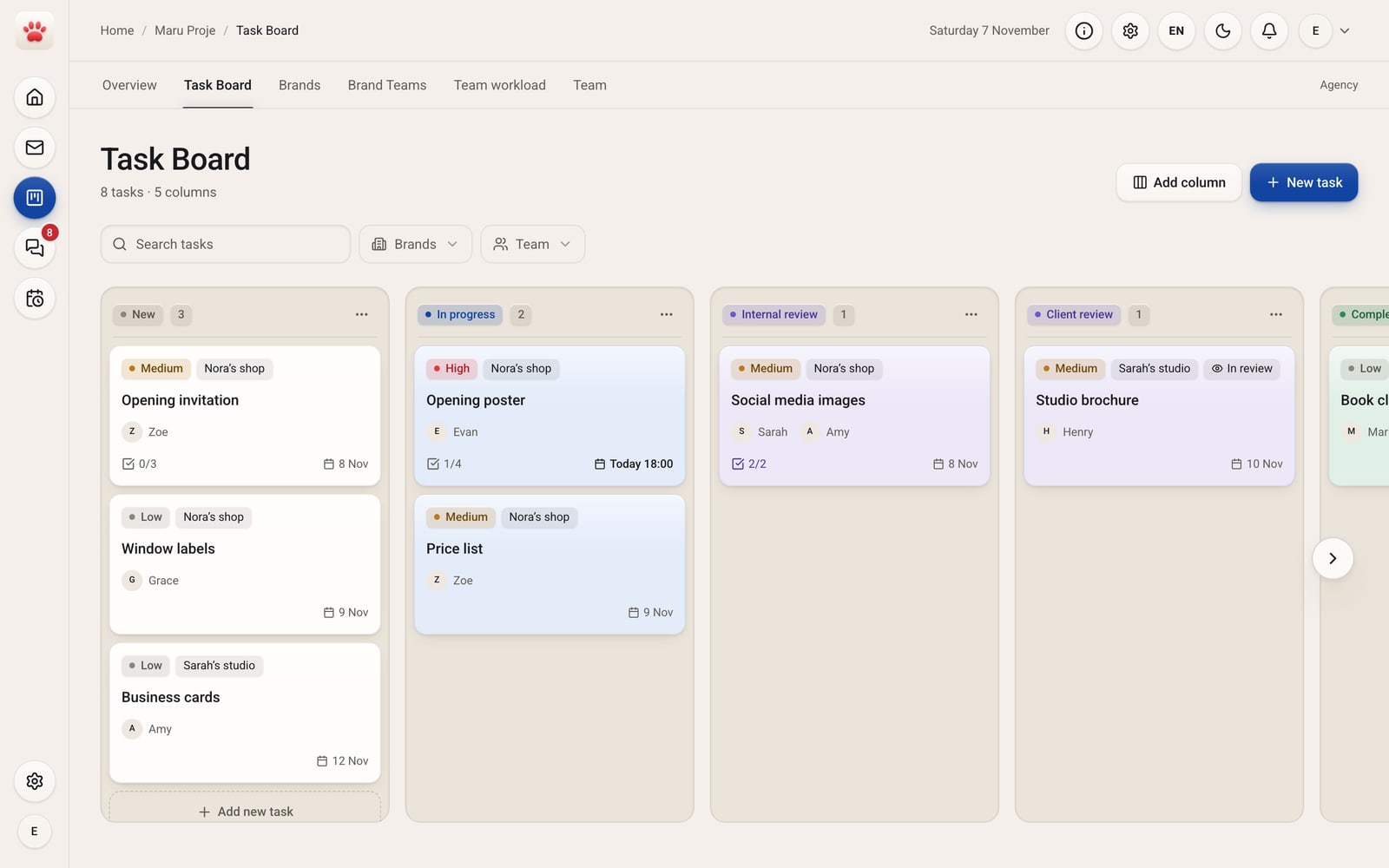
Maru Proje Task Board: task cards in the New, In progress, Internal review and Client review columns; the Opening poster is in progress with Evan, due today at 18:00.
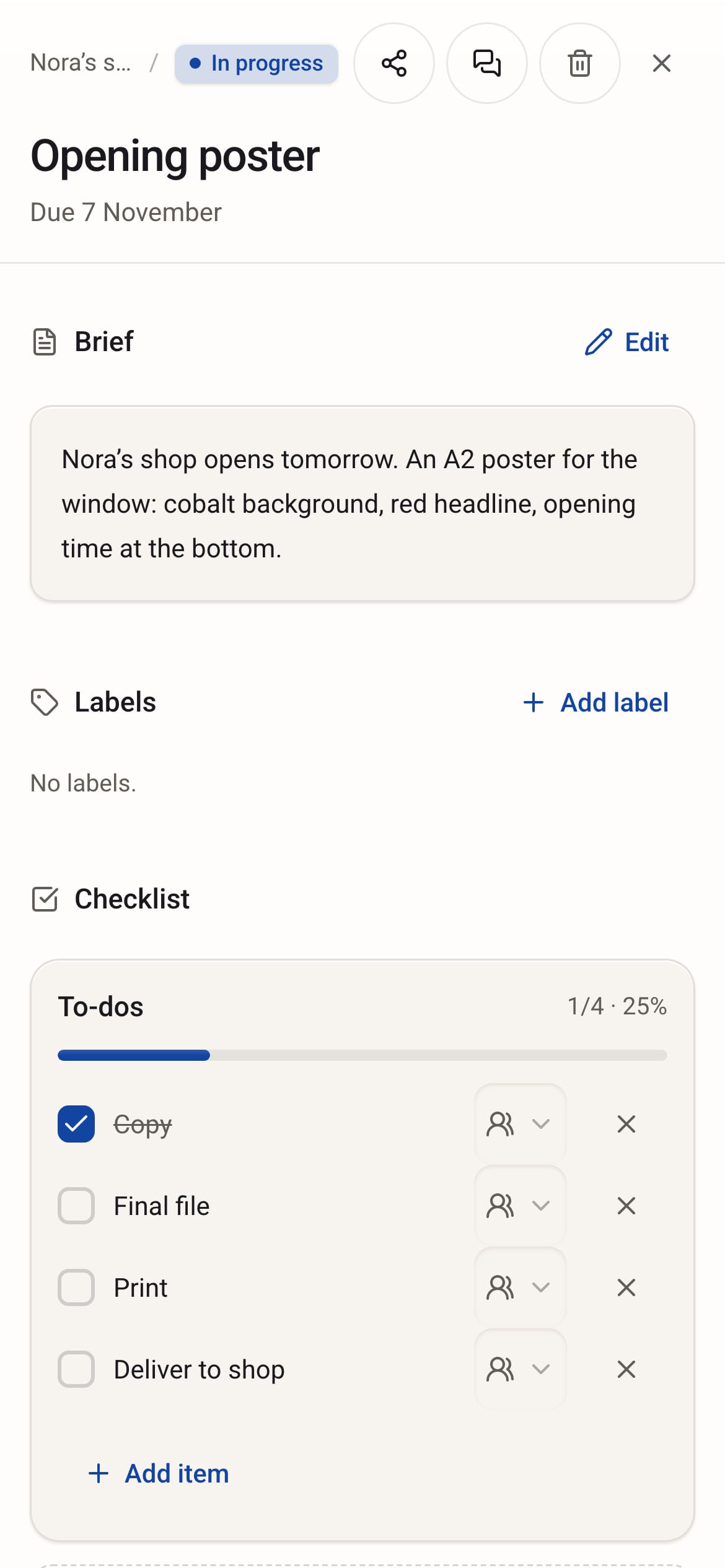
The Opening poster card on a phone: the brief and a checklist with one of four items done.

Six modules, one app.

Maru Hub is made for small agencies, studios, shops and people who work on their own. We call it Maru for short. It has six modules: Proje holds your tasks, Chat your conversations, Plan your day and calendar, Meet your meetings, Pano your ideas, and Mail your email.

Proje, Chat, Plan, Meet and Pano share one account and work together. Open them in the browser on your computer, phone or tablet; there’s nothing to install. Maru Mail runs in the Maru Hub app on iPhone, iPad and Mac. Try everything free for 14 days.

The story of one poster.

It arrives as an email in the morning and hangs in the window by evening. Follow the card, hour by hour.

A woman in a patterned headscarf reads her laptop in a studio in the morning, with a cat curled up next to the keyboard.

It’s 09:00. Nora wants a printed poster in her window for tomorrow’s opening, and she emails Claire.

The job arrives as an email.

Claire, small agency owner · Maru Mail

The problem. An email gets read, then sinks under the next ones. By evening, nobody knows who has the poster.

In Maru Hub. Claire reads the email in Maru Mail and replies from there: “Got it. It’ll be in your window tonight.” The job isn’t a card yet. It’s an email in her inbox.

Our cat Maru curled up next to Claire’s keyboard.

Status no card yet, just an email

No cardNo card yet. The job is in Claire’s inbox.
Three young people discuss a wall of blank layouts in a brick basement office.

It’s 10:00. Claire turns the email into a task. Evan will draw the poster, due today at 18:00.

The email becomes a task card.

Claire and her team, agency · Maru Mail, Maru Proje

The problem. As long as it sits in an inbox, the job isn’t on anyone’s plate, and everyone assumes someone else has it.

In Maru Hub. Claire opens the email and presses “Turn into task”. A task form opens with the subject and sender already filled in. She picks Evan as the owner, sets it due today at 18:00 and saves. The card opens in Maru Proje, in the “New” column.

Maru walked under the table. Nobody noticed.

Status card opened: New

No cardEvan · Today 18:00

BeforeAfterNew

Opening poster

EEvanToday 18:00

0/4

A bearded man in a mustard beanie and denim jacket sketches at a coffee bar, with a barista behind him.

It’s 10:30. Evan is at a café. There’s a new task on his phone: Opening poster.

The task finds its hours.

Evan, illustrator · Maru Plan

The problem. Evan has other work today. He needs to see which hours the poster can have.

In Maru Hub. The task is his and it’s due today, so it’s waiting in the “Anytime” row of Maru Plan, tagged “Proje”. He places it from 10:30 to 14:30, drags the card to “In progress” in Proje and starts drawing.

Maru crossed the counter without touching a cup.

Status New → In progress

BeforeAfterNewIn progress

Opening poster

EEvanToday 18:00

0/4In Plan, 10:30–14:30

Two women laugh over a laptop and drawings at a sidewalk café table.

It’s 11:30. Evan has posted his first sketch in the task’s chat. Claire and Zoe, the designer, look it over at a café.

The decision lives in the task’s chat.

Claire and Zoe, agency · Maru Chat

The problem. They’ve made two decisions. If those stay at the table, Evan spends the afternoon on the old sketch.

In Maru Hub. Zoe writes the decisions in the poster’s own chat in Maru Chat: red background, opening date big. Evan gets the notification and reads both right there on the task.

Maru slipped under the table.

Status two decisions in the chat

BeforeAfterIn progress

Opening poster

EEvanToday 18:00

0/4Two decisions in the chat

A red-haired woman with headphones works on a laptop in a bookshop café on a rainy day.

It’s 12:30. Now for the words. Grace is at a bookshop café, and it’s started to rain.

The copy? On the card.

Grace, freelance copywriter · Maru Proje

The problem. The copy is three lines. But if it bounces around in messages, the wrong version goes to print.

In Maru Hub. Grace writes the copy, adds the file to the poster’s card in Maru Proje and checks off “Copy” on its to-do list. She doesn’t send it to anyone; whoever opens the card sees the file.

Maru curled up among the books and waited for the rain to stop.

Status copy on the card, 1/4

BeforeAfterIn progress

Opening poster

EEvanToday 18:00

0/41/4opening-copy.pdf added

A bearded man in a mustard beanie leans back at his desk and taps his phone, with a cobalt and red poster print on the desk.

It’s 14:30. Evan is at the studio. The poster is done, and the final file is ready.

Finished, and everyone can see it.

Evan, illustrator · Maru Plan, Maru Proje

The problem. The work is done, but nobody knows yet. Henry is waiting to print a proof, and Claire is about to ask how it’s going.

In Maru Hub. Evan adds the final file to the card and checks off “Final file”. Then he checks the task off in Maru Plan. The linked card moves to “Internal review” in Proje, with nothing else for Evan to update.

Maru stretched in front of the window.

Status In progress → Internal review

BeforeAfterIn progressInternal review

Opening poster

EEvanToday 18:00

1/42/4Final file on the card

A gray-bearded printer checks a cobalt and red poster at a print studio table.

It’s 15:30. Henry’s turn. He’s at the proofing table in his print studio.

Which one’s final? Check the card.

Henry, printer · Maru Proje

The problem. He has to know which file is final before he prints. Print the wrong one and the paper is wasted.

In Maru Hub. Henry opens the card: the final file is there, and so is Grace’s copy. He pulls a proof and presses “Send for approval”. The card moves to “Client review”, and Henry forwards the approval link to Nora.

Maru poked his round head out from between the paper rolls.

Status Internal review → Client review

BeforeAfterInternal reviewClient review

Opening poster

EEvanToday 18:00

2/4Proof sent to Nora

A silver-haired woman packs an order in a record and plant shop, with a cat on the counter.

It’s 16:30. Nora is in her shop, getting ready for tomorrow. The approval link arrives on her phone.

No account. Just a yes.

Nora, record and plant shop owner · Maru Proje, client portal

The problem. Her hands are full. She doesn’t want to sign up for anything, and she doesn’t want a long phone call either.

In Maru Hub. Nora opens the link, looks at the proof and presses “Approve”. She doesn’t need a Maru account. Had she wanted changes, she’d have pressed “Request changes” on the same page. The card moves to “Completed” in Proje and the team gets a notification. Henry starts printing.

The shop’s cat was asleep on the counter. Maru walked past quietly.

Status Client review → Completed

BeforeAfterClient reviewCompleted

Opening poster

EEvanToday 18:00

2/4Nora approved, printing started

Four friends laugh around a café table at dusk, laptops closed, with tea and beer on the table.

It’s 18:30. The poster is printed and in Nora’s window. The team is at a café, laptops closed.

Poster in the window. Card closed.

Claire and her team, end of the day · Maru Proje, Maru Plan

The problem. One question left at the table: did everything due today get done?

In Maru Hub. When Henry drops the poster at the shop, he checks off the last two items on the card, “Print” and “Deliver to shop”: 4/4. Before she gets up, Claire looks at Maru Plan on her phone. Every row she checked off through the day is ticked, and the last row says “Close your day”.

Maru curled up at the end of the table and fell asleep.

Status Completed · 4/4

BeforeAfterCompleted

Opening poster

EEvanToday 18:00

2/44/4Poster in the window

At dusk, beside a wet street, a woman hangs a red and cobalt poster in a shop window while the cat sits on the ledge.

Delivered.

BeforeAfterCompleted

Opening poster

EEvanToday 18:00

4/4Poster in the window

The board says “Completed.” The day is closed.

An email at 09:00, a poster in the window at 18:30. In between, everyone read their part off the card, and nobody had to ask where things stood.

Type a message. The card’s ready.

Start a message with “Task:”. A card is prepared with the task, its owner and its due date. Fix anything with “Edit details”; no task is created until you press “Create and send”.

No copying. It’s on the board.

Press “Create and send” and the task opens on the Proje board, with its owner and due date already on the card.

Type “Meeting:”. It’s on the calendar.

Start a message with “Meeting:” and a card is prepared with the person and the time. Check it, then press “Create and send”. The meeting lands on the calendar with its Meet link, and the invitees get an email.

Finish in Plan. The card moves in Proje.

Finished something in your plan? Check it off. The linked card moves forward on the Proje board too, so there’s nothing else to update.

Your client approves. No sign-up.

When work needs the client’s yes, send them a link. They see it without creating an account, then approve it or request changes. You get their decision as a notification.

Meetings and boards, too.

No separate app to talk, no separate canvas to lay ideas side by side. Meetings open from the calendar, and the board opens from inside the meeting.

Maru Meet

Open it from the calendar and the link goes out. Your client joins from the waiting room, no sign-up.

  • Screen sharing, chat, raised hands
  • Waiting room and guest link
  • Your profile photo when the camera is off
Meet Meet
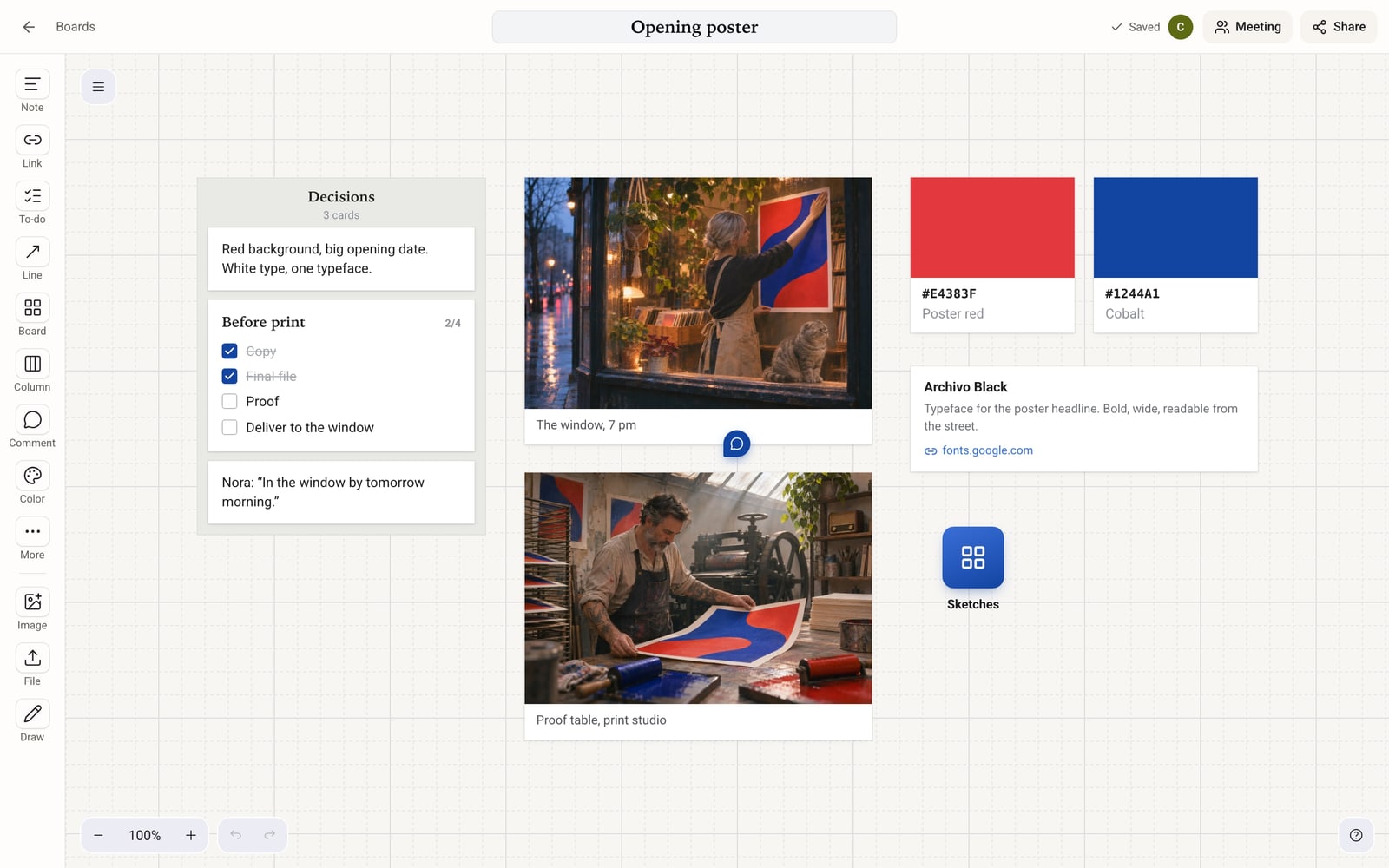
Maru Pano: the “Opening poster” board. The card rail on the left (Note, Link, To-do, Line, Board, Column, Comment, Color, Image, File, Draw); on the canvas a Decisions column with a note and a Before print list at 2/4, photos of the window and the proof table, poster red and cobalt color cards, a link card for the Archivo Black typeface, a Sketches sub-board and a comment pin.

Maru Pano

Notes, images, colors and links on one canvas. The team works at the same time, and a note becomes a Proje task with one tap.

  • Mind maps, columns, sticky notes
  • Comment pins, voting, version history
  • A read-only link for your client
Meet Pano

Set up for the way you work.

The first time you open Maru, you pick the kind of work you do. Card names, starter columns and modules follow from that.

Try first. Choose later.

Every feature, free for 14 days. Then pick the plan that suits you.

All plans

Billing period
Choose a plan

Personal

For people organizing their own work and day

₺149/mo

₺1,520/yr₺1,788

Try free for 14 days
People and storage

1 person

  • 10 GB storage
  • No extra people
Proje

Maru ProjeUnlimited

  • Approval flows and stages : Not included
  • Brand Teams : Not included
Chat

Maru ChatUnlimited

    Plan

    Maru PlanUnlimited

    • Team workload : Not included
    Meet

    Maru MeetUnlimited

    • Guest link and waiting room : Included
    • Background blur : Not included
    Pano

    Maru Pano3 boards

    • Comments, voting, version history : Included
    • Read-only link for clients : Included
    Other features
    • In the browser on your computer, phone and tablet : Included
    • 14-day trial with every feature : Included
    • Your tasks and messages stay after the trial : Included

    TeamRecommended

    For small teams who want to track work together

    ₺549/mo

    ₺5,600/yr₺6,588

    Try free for 14 days
    People and storage

    5 people included

    • 50 GB storage
    • Extra person: ₺79/mo
    Proje

    Maru Proje

    • Client portal : Included
    • Approval flows and stages : Not included
    • Brand Teams : Not included
    Chat

    Maru Chat

    • Spaces, direct messages, task chats : Included
    Plan

    Maru Plan

    • Team workload : Not included
    Meet

    Maru Meet

    • Guest link and waiting room : Included
    • Background blur : Included
    Pano

    Maru Pano

    • Comments, voting, version history : Included
    • Read-only link for clients : Included
    Other features
    • In the browser on your computer, phone and tablet : Included
    • 14-day trial with every feature : Included
    • Your tasks and messages stay after the trial : Included

    Agency

    For agencies and teams doing client work

    ₺999/mo

    ₺10,190/yr₺11,988

    Try free for 14 days
    People and storage

    5 people included

    • 100 GB storage
    • Extra person: ₺119/mo
    Proje

    Maru Proje

    • Client portal : Included
    • Approval flows and stages : Included
    • Brand Teams : Included
    Chat

    Maru Chat

    • Spaces, direct messages, task chats : Included
    Plan

    Maru Plan

    • Team workload : Included
    Meet

    Maru Meet

    • Guest link and waiting room : Included
    • Background blur : Included
    Pano

    Maru Pano

    • Comments, voting, version history : Included
    • Read-only link for clients : Included
    Other features
    • In the browser on your computer, phone and tablet : Included
    • 14-day trial with every feature : Included
    • Your tasks and messages stay after the trial : Included

    Mail. Maru Mail comes with the Maru Hub app for iPhone, iPad and Mac. Today you can use Proje, Chat and Plan on the web.

    Prices are for web payments, in Turkish lira, excluding VAT. 15% off with yearly billing. Team and Agency plans include 5 people.

    Frequently asked questions

    What is Maru?

    Maru Hub is an app for small agencies, studios, businesses and people who work on their own. Task tracking, team chat and your daily plan sit together in one workspace.

    How do I get started?

    Create an account, set up your workspace and invite your team. Start by adding your first task, starting a chat or planning your day.

    What’s included in the free trial?

    For 14 days you can use every feature of Proje, Chat, Plan, Meet and Pano.

    What happens when the trial ends?

    Your tasks, messages and plans aren’t deleted. You can still see everything in Proje and Chat. To add new tasks and messages, choose a pricing plan. You can keep using Maru Plan. If you don’t choose a plan, the files you uploaded are deleted 30 days after the trial ends. We email you 2 days before the trial ends and 2 days before the files are deleted.

    Does every team member need their own subscription?

    No. Team and Agency plans include 5 people. If your team is bigger, you pay a per-person fee that depends on your plan.

    How do I get approval from clients?

    Share the client portal link. Your client opens it, sees the work without an account, and approves it or requests changes. You get their decision as a notification.

    Can my client join a meeting?

    Yes. Send the meeting link. Your client types their name without creating a Maru account and lands in the waiting room; they enter when you admit them. In the meeting you can share your screen, chat and raise a hand.

    What can I do on a board?

    Put note, image, file, link and color cards on the canvas and gather them in columns. Draw a mind map, pin comments, vote. The Personal plan allows 3 boards; Team and Agency have no limit. You can also show a board to your client with a read-only link.

    Which devices can I use?

    Right now you can use Maru in the browser on your computer, phone and tablet. iPhone, iPad and Mac apps are coming soon.

    Is Maru Mail available?

    Maru Mail isn’t a separate app; it’s part of Maru Hub. It comes with the iPhone, iPad and Mac app, and once the app is out you open Mail right inside Maru Hub. Today you can use Proje, Chat and Plan on the web.

    Who is this cat?

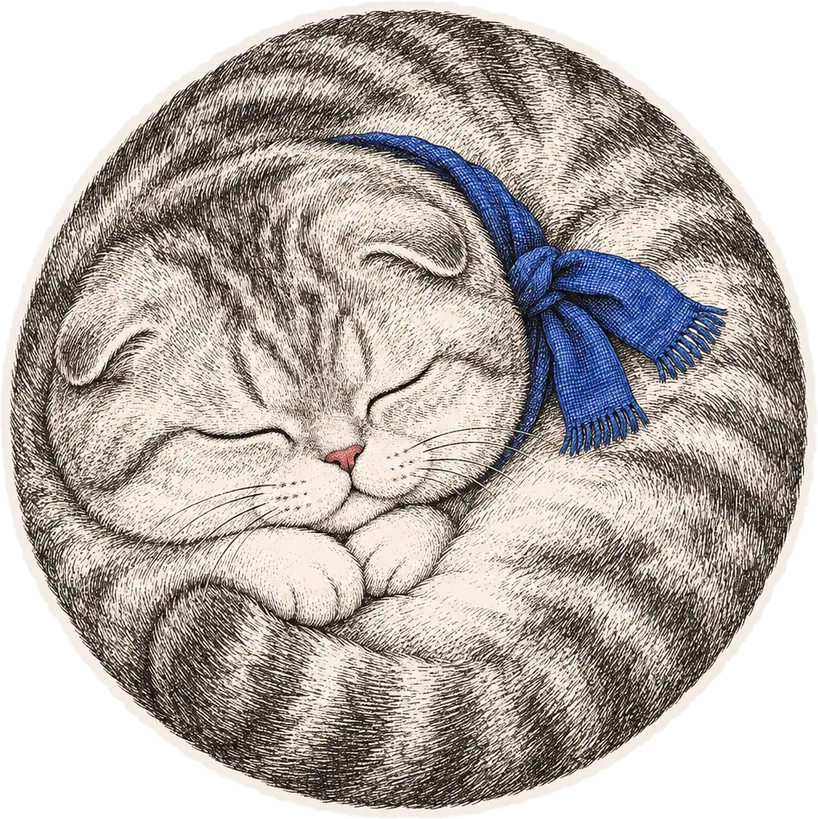
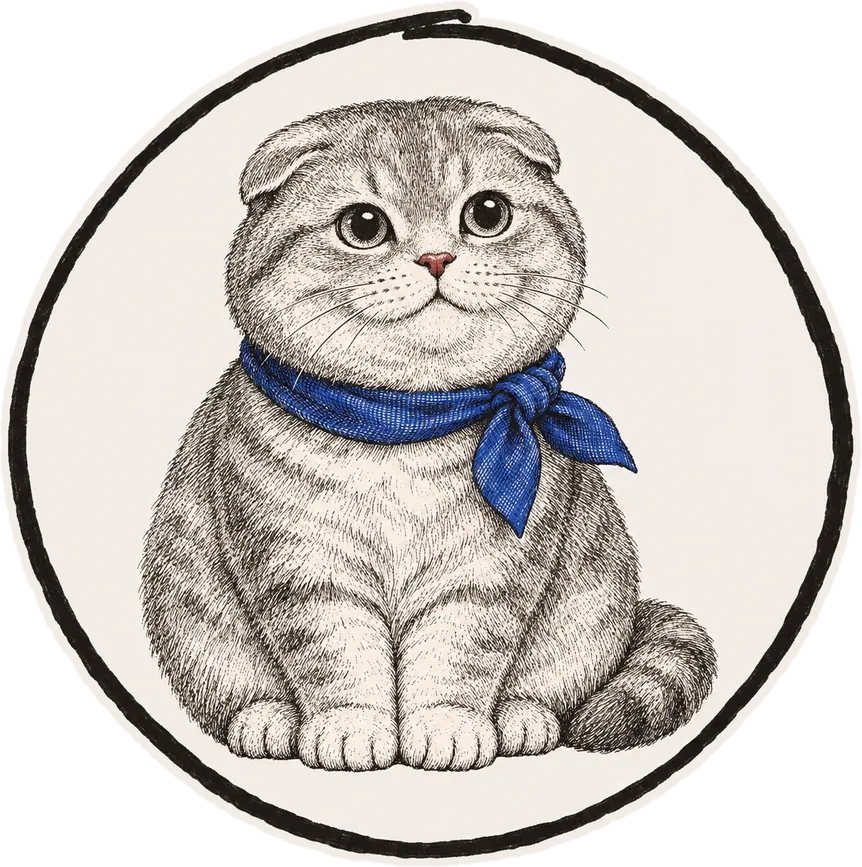
    That’s Maru, our company cat: a round-faced Scottish Fold with folded ears. The paw in the logo comes from him. He’s not a feature of the app, and he doesn’t do any of the work. On this site, he just walks through the day with us.
    Run all your work from one place.

    New0/3

    Try Maru free for 14 days.

    YouToday

    To-dos

    • Add your first task
    • Invite your team
    • Plan your day
    Try free for 14 days

    Your tasks and messages stay when the trial ends.